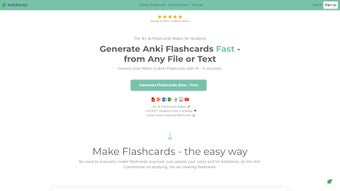

Скачать AnkiDecks – Создатель карточек с ИИ для студентов
Обзор
AnkiDecks – это передовое веб‑приложение, которое превращает трудоёмкий процесс создания карточек в быстрый, управляемый ИИ рабочий процесс. Используя модель GPT‑4 от OpenAI, платформа может принимать широкий спектр исходных материалов — PDF‑лекционные заметки, презентации PowerPoint, документы Word, простые текстовые файлы и даже слайды в виде изображений — и мгновенно генерировать полностью отформатированные карточки Anki, готовые к изучению. Что действительно отличает AnkiDecks от других генераторов карточек, так это его многоязычный движок, поддерживающий более 50 языков и включающий встроенный синтез речи, позволяющий учащимся слышать произношение и практиковать навыки аудирования в реальном времени. Инструмент также превосходно справляется с визуальными предметами благодаря автоматической функции окклюзии изображений, которая маскирует выбранные области диаграмм, идеально подходя для анатомии, географии, инженерных схем или любого предмета, где важна визуальная память. Пользователи могут выбирать между классическими карточками «вопрос‑ответ», карточками с заполнением пропусков (cloze‑deletion) или гибридным подходом, гарантируя, что созданные наборы соответствуют личным предпочтениям обучения. После генерации наборы можно экспортировать напрямую в настольный клиент Anki в виде файлов .apkg или сразу изучать через собственный браузерный просмотрщик AnkiDecks. Сервис размещён на надёжной облачной инфраструктуре, соответствующей требованиям GDPR, что гарантирует шифрование всех передач данных и отсутствие сохранения личной информации после завершения сессии. В итоге AnkiDecks предлагает безопасный, быстрый и высоко настраиваемый учебный помощник, экономящий часы ручного ввода, одновременно делая процесс обучения увлекательным и адаптируемым к любой предметной области или языковой потребности.
Ключевые функции AnkiDecks
AnkiDecks предлагает мощный набор возможностей, разработанных для удовлетворения разнообразных потребностей студентов, преподавателей и профессионалов. Будь то подготовка к медицинскому экзамену, освоение нового языка или изучение технической документации, ИИ‑движок платформы и гибкие варианты вывода дают вам инструменты для создания качественных наборов за минуты, а не дни. Ниже представлен подробный обзор самых ценных функций, которые выделяют AnkiDecks.
- AI‑Generated Flashcards: Utilises GPT‑4 to extract key concepts and automatically formulate question‑answer pairs, dramatically reducing manual effort.
- Multi‑File Support: Accepts PDFs, PPTX, DOCX, TXT, and image files, parsing each format without requiring separate conversion tools.
- 50+ Language Capability: Enables deck creation in languages ranging from English and Spanish to Japanese, Arabic, Hindi, and many more.
- Image Occlusion: Automatically masks parts of an image to test visual recall—ideal for anatomy, histology, circuit diagrams, maps, and other visual subjects.
- Cloze Deletion Builder: Generates fill‑in‑the‑blank cards with a single click, perfect for language learning, code memorization, and factual recall.
- Text‑to‑Speech Integration: Provides native‑like pronunciation for foreign‑language terms directly within each card, enhancing auditory learning.
- One‑Click Export to Anki: Syncs generated decks with the desktop Anki client or downloads them as .apkg files for offline study.
- Online Study Mode: Allows immediate study in the browser, eliminating the need for any additional software installation.
- Secure Cloud Processing: All AI operations run over encrypted HTTPS connections; personal data is never stored long‑term.
- Regular Updates: Frequent feature rollouts keep the platform aligned with the latest AI advancements and Anki standards.
Установка, инструкции по использованию и совместимость
Начало работы — загрузка не требуется
Поскольку AnkiDecks — полностью веб‑ориентированный сервис, традиционный процесс установки отсутствует. Просто перейдите на ankidecks.com, зарегистрируйте бесплатный аккаунт, и вы готовы начать. Платформа оптимизирована для современных браузеров, включая Chrome, Edge, Firefox и Safari, и автоматически адаптирует макет под настольные мониторы, планшеты и смартфоны, обеспечивая единообразный опыт на всех устройствах.
Пошаговый рабочий процесс
- Upload Your Source Material: Drag‑and‑drop a PDF, PowerPoint, Word document, plain‑text file, or image into the designated upload zone. The system validates the file size and format instantly.
- Select Deck Settings: Choose the target language, preferred card type (basic, cloze, image occlusion), and whether text‑to‑speech should be enabled for each card.
- Generate Cards: Click “Create Deck.” Within seconds, the AI parses the content, extracts key concepts, and presents a preview of the flashcards for you to review.
- Edit & Refine (Optional): Use the built‑in inline editor to adjust wording, add tags, modify difficulty levels, or correct any AI‑generated errors.
- Export or Study: Press “Export to Anki” to download an .apkg file for offline use, or select “Study Online” to start a browser‑based study session immediately.
- Sync Across Devices: If you use the desktop Anki client, import the .apkg file; the decks will then be available on all devices where Anki is installed.
Compatibility Details
AnkiDecks runs on any operating system that supports a modern web browser, including Windows 10/11, macOS Ventura and later, major Linux distributions, Android 8.0+, and iOS 13+. Because the service is cloud‑hosted, there are no platform‑specific binaries, drivers, or runtime environments to manage, making it a truly cross‑platform solution.
Security, Privacy & Automatic Updates
All data transmissions are encrypted with TLS 1.3, and the platform adheres to GDPR‑compatible privacy practices. User accounts are protected by two‑factor authentication, and no personal documents are retained on the server after the deck generation session ends. Feature enhancements, AI model upgrades, and security patches are deployed automatically, so users always benefit from the latest improvements without manual intervention.
Плюсы, минусы, часто задаваемые вопросы и окончательный вердикт
Pros & Cons
- Pros:
- Lightning‑fast AI card generation saves hours of manual entry.
- Supports a vast range of file formats and over 50 languages.
- Image occlusion and cloze deletion tools cater to visual and textual learners.
- No installation required; works on any device with a browser.
- Secure, GDPR‑compliant processing and regular feature updates.
- Free tier available for students on a budget.
- Cons:
- Free plan limits the number of cards you can generate each month.
- Advanced customization (e.g., custom CSS styling) must be done after export.
- Internet connection is required for deck generation; offline use depends on the desktop Anki client.
- Occasional AI misinterpretation on highly specialized or niche subjects.
FAQ – Answers to Common Queries
Can I use AnkiDecks on a mobile device?
Yes. The web interface is fully responsive, allowing you to upload files, generate decks, and study directly from smartphones or tablets running iOS or Android.
Is there a limit to the size of files I can upload?
The free plan caps uploads at 25 MB per file, which covers most lecture PDFs and slide decks. Premium subscribers enjoy a 100 MB limit and priority processing.
How accurate are the AI‑generated flashcards?
Powered by GPT‑4, AnkiDecks delivers high relevance for factual subjects. For highly specialized topics, a brief manual review is recommended to ensure absolute precision.
Can I integrate the generated decks with the desktop Anki app?
Absolutely. After generation, click “Export to Anki” to download an .apkg file, which can be imported into the official Anki desktop client on Windows, macOS, or Linux.
What payment options are available for the premium plan?
Premium subscriptions can be paid via credit card, PayPal, or Apple/Google Pay. Plans are offered monthly or annually, with a 15 % discount for the yearly commitment.
Conclusion – Should You Download AnkiDecks?
For anyone who has ever spent countless hours typing out flashcards, AnkiDecks represents a quantum leap in efficiency. By harnessing state‑of‑the‑art AI, it transforms PDFs, slide decks, and even images into polished Anki cards in seconds, while supporting a multilingual workflow that few competitors can match. Its web‑only delivery means you avoid the hassle of installations, and the secure, GDPR‑compliant infrastructure gives peace of mind. While the free tier’s card limit and the occasional need for post‑generation tweaking may be minor drawbacks, the overall value—especially for students in fast‑paced courses or language learners—far outweighs these constraints. If you’re looking to boost retention, cut down on prep time, and enjoy a modern, cloud‑based study companion, download AnkiDecks today and experience AI‑powered flashcards for yourself.



.png)



